
Buying with Claude Code
Route Claude Code through Asale — which file changes, what is backed up, and how to put it back.
You do not need an Anthropic subscription to use Claude Code. With the buy switch on, its requests go through the Asale market and are served by other people's idle capacity — you pay in USDT for the tokens you actually use, usually well below list price.
This guide goes from nothing installed to Claude Code running on the market. Written for someone who has never used a command line.
Time needed: about 15 minutes | How you pay: USDT, deducted as you use it
Before you start
You need: a Windows / macOS / Linux computer, and a little USDT (a few dollars is enough to try), withdrawn from any exchange.
You do not need: an Anthropic account, a credit card, or any coding ability.
Your tool hands the question to Asale on your computer, Asale passes it to the market, and the market assigns it to some seller's computer, which asks the vendor. The machine talking to the vendor is the seller's, not yours — all you need is to reach Asale's own servers.
Step 1: Install the Asale client and sign in
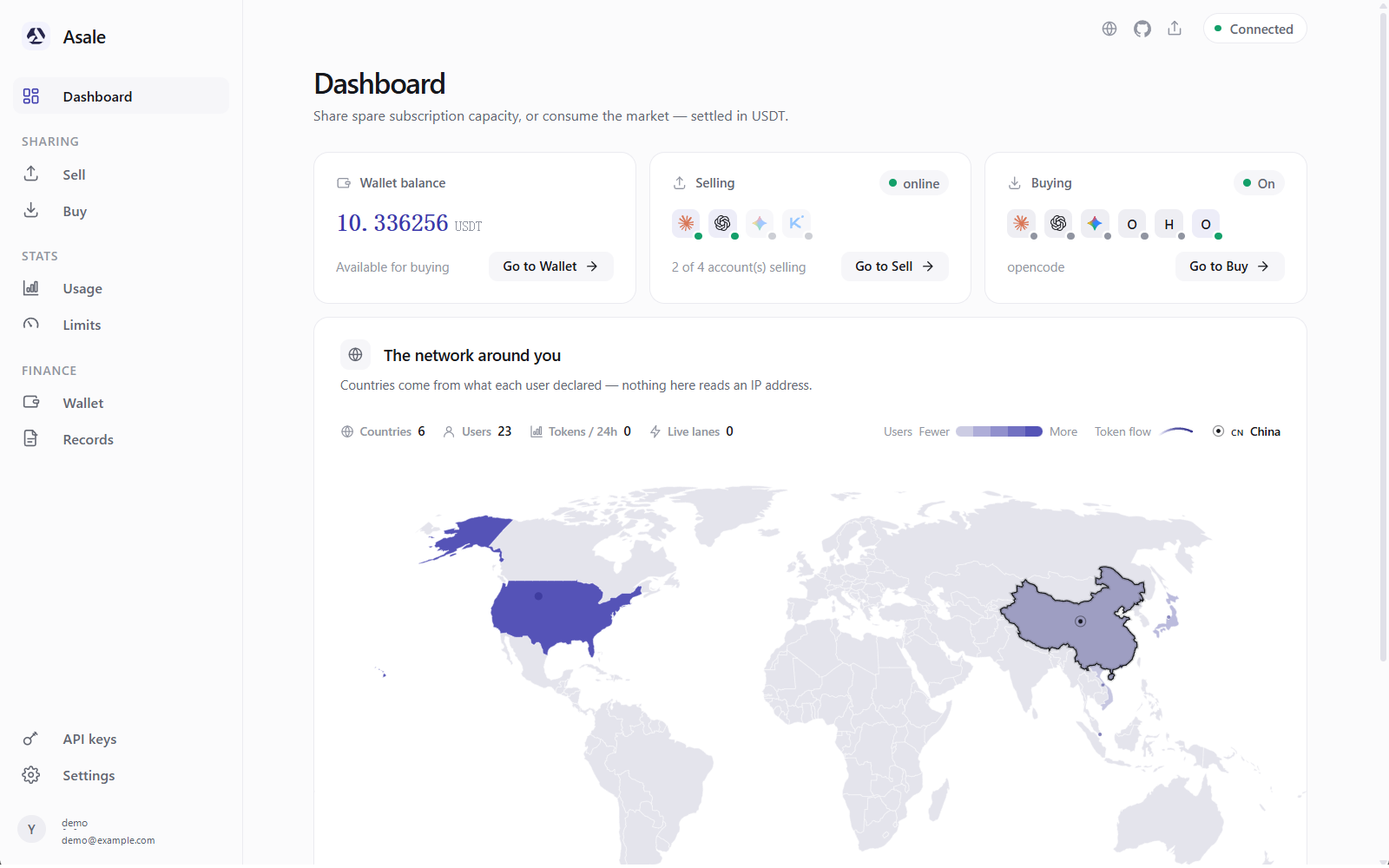
Not installed yet? Work through Install the client: download → install → register and sign in on the Account page.
Step 2: Put some USDT in the wallet
With no balance, requests are refused with "402 insufficient balance". Deposit first.
- Open Wallet → Deposit
Wallet on the left → Deposit, and pick a chain: Solana or TRON.
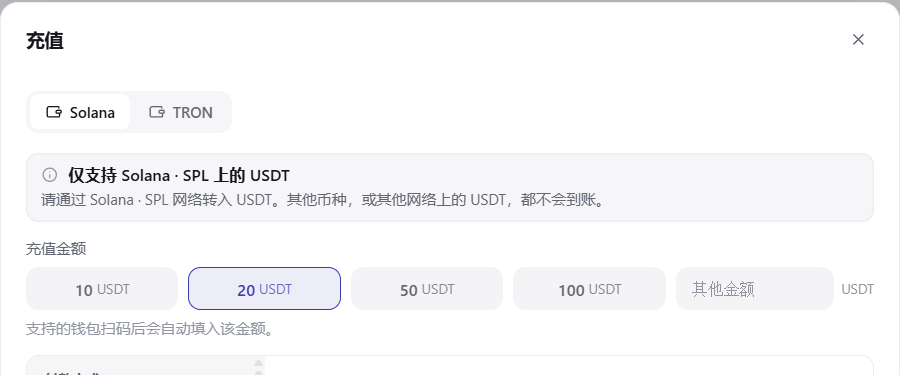
Not sure which: go by where your USDT already is. From an exchange either works — TRON's fee is easier to reason about, Solana is faster.
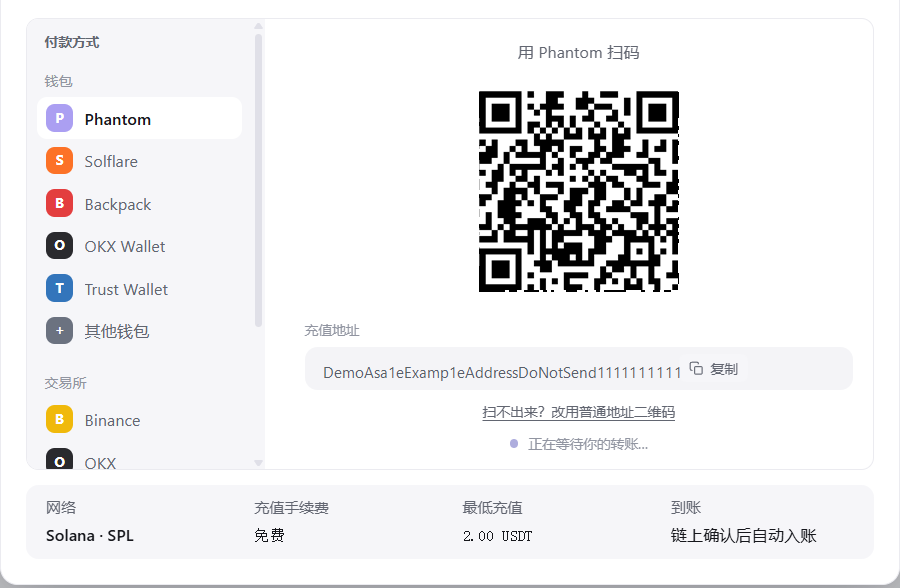
- You get a dedicated address and a QR code
A deposit address on that chain, plus a QR code.
- Send it from a wallet or an exchange
- From a phone wallet: scan the QR code, enter an amount, confirm.
- Withdrawing from an exchange: open the exchange's USDT withdrawal page → choose the same network you picked on Asale → scan or paste the address → confirm the withdrawal.
- Wait for it to arrive
The page follows the transfer: detected → confirming → added to your balance. The "available" figure in the top-left then changes.
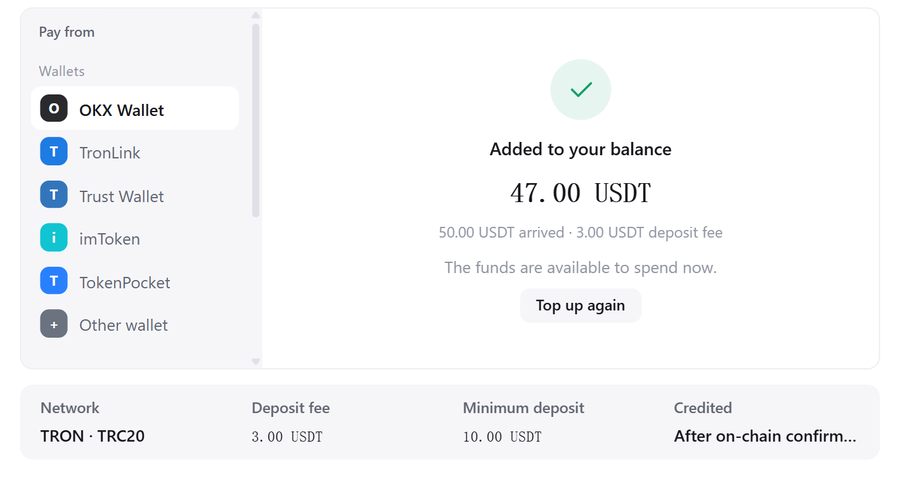
Closing the page is fine — the address stays valid, and a late transfer is still credited.
Pick the wrong chain and the money cannot be recoveredAn address is bound to a chain. USDT sent from a different network, or a different coin, will not arrive and cannot be recovered. The network name is above the QR code — pick that one in your wallet or exchange.
How much should you depositThe suggested minimum is not a hard floor; small amounts are credited just the same. For a first try, 5–10 USDT lasts a long time.
Step 3: Install Claude Code on your computer
If you already have Claude Code (claude --version prints something in a terminal), skip to step 4.
3.1 Install Node.js first
Claude Code is a Node.js program, so Node.js comes first.
- Download Node.js
Open nodejs.org and click the green LTS button (long-term support, the most stable).

- Install it
- Windows: double-click the
.msiand click Next all the way. If there is an "Add to PATH" option, leave it ticked. - macOS: double-click the
.pkgand click Continue all the way. - Linux: use your package manager, e.g.
sudo apt install nodejs npmon Ubuntu.
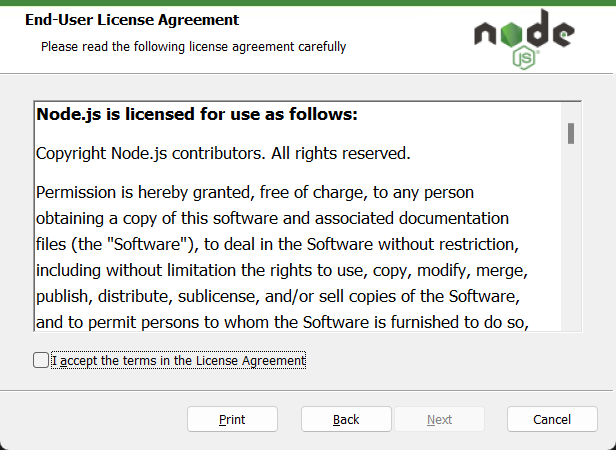
- Windows: double-click the
- Check that it installed
Open a new terminal / PowerShell window — an old one cannot see the new PATH — and type:
node -vSomething like
v22.x.xmeans you are set.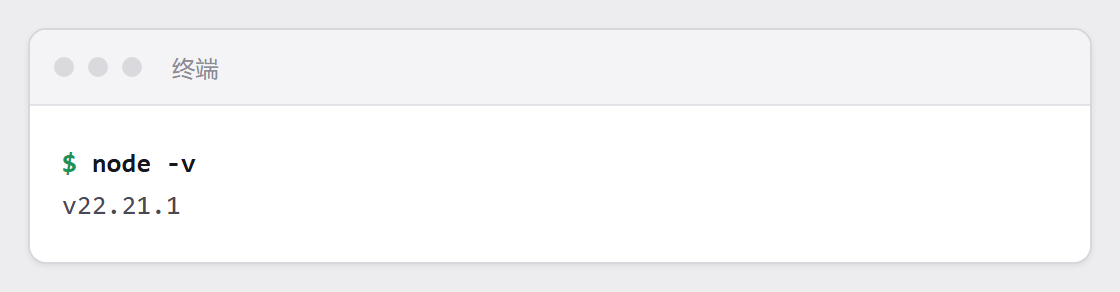 How to open a terminal
- Windows: press
Win, typepowershell, press Enter. - macOS: press
Command + Space, typeTerminal, press Enter. - Linux:
Ctrl + Alt + T.
- Windows: press
3.2 Install Claude Code
Type this line in the terminal and press Enter:
npm install -g @anthropic-ai/claude-code
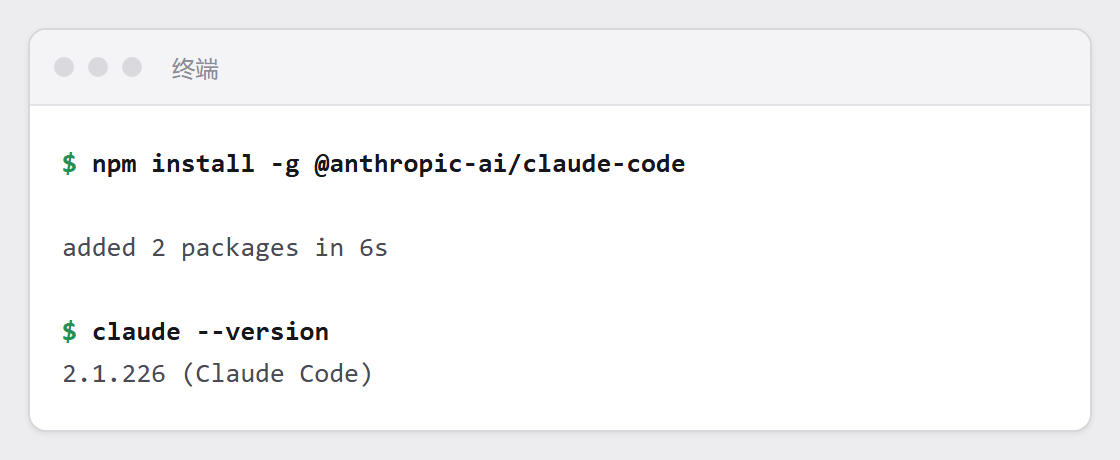
Check it afterwards:
claude --version
EACCES or permission denied means it cannot write into a system directory. Do not force it with sudo — move the install location into your home directory instead, once:
mkdir -p ~/.npm-global
npm config set prefix ~/.npm-global
echo 'export PATH=~/.npm-global/bin:$PATH' >> ~/.zshrc
source ~/.zshrc
npm install -g @anthropic-ai/claude-code
If you use bash rather than zsh, replace ~/.zshrc with ~/.bashrc.
Close that PowerShell window, open a new one, and try again. PATH is read when the window starts.
3.3 Do not sign in yet
Claude Code will ask you to sign into an Anthropic account — skip it. Buying through Asale needs no Anthropic account, and step 4 points it at Asale instead.
Step 4: Back to Asale — turn on the buy switch for Claude Code
Turning the switch on rewrites Claude Code's config file — including the session you may be sitting in right now. Quit every running Claude Code first and open a fresh terminal window.
- Open the Buy page
Buy on the left lists the AI tools detected on this machine, marked Installed or Not detected.
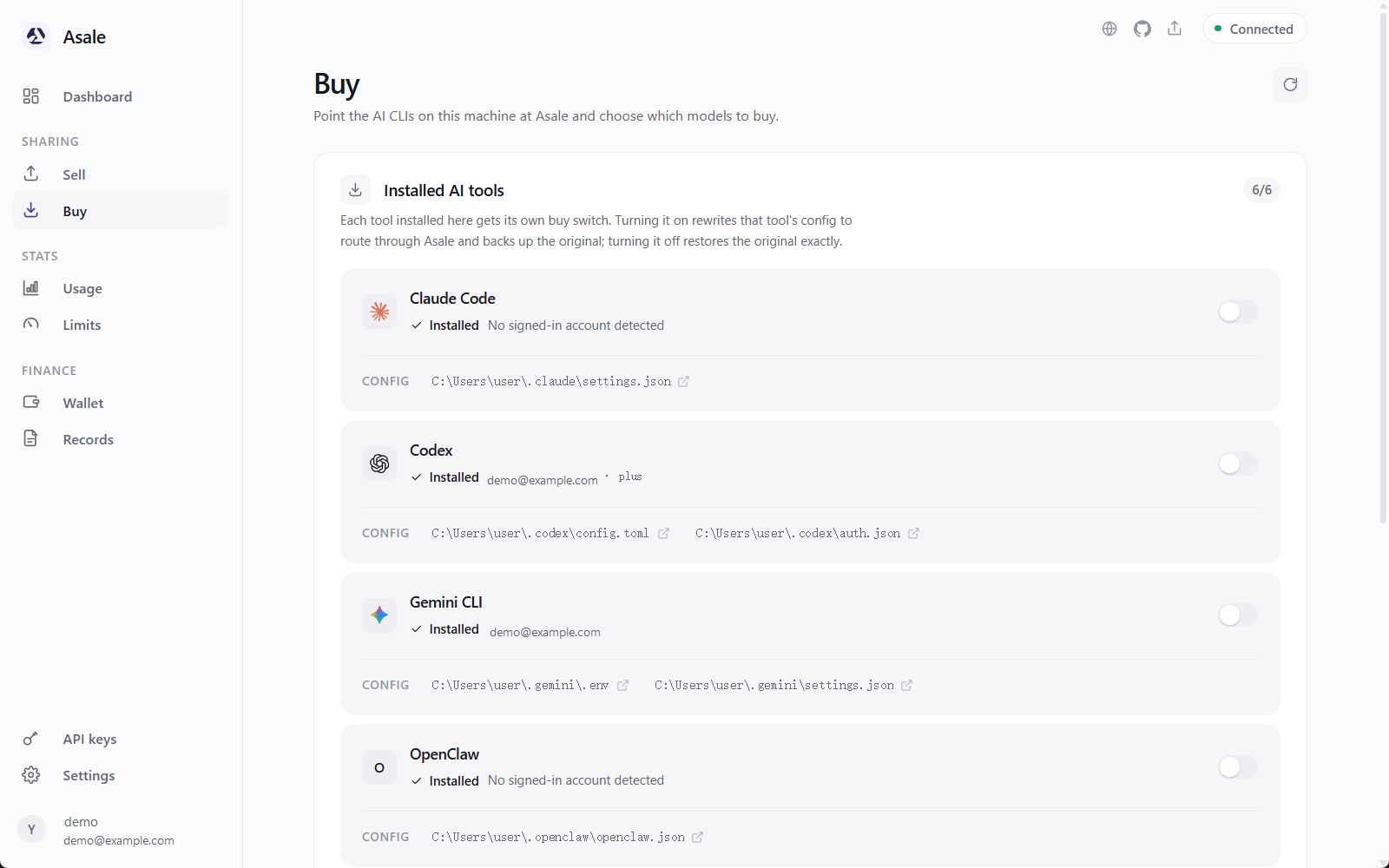
If Claude Code still says "Not detected", click Refresh.
- Turn on the switch
Click Buy tokens for this tool on the Claude Code row.
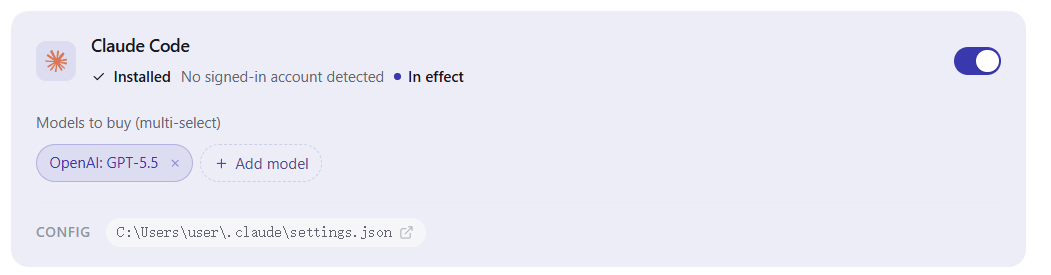
A message appears: Claude Code has been switched to Asale.
- Tick the models you allow
Expand Models to buy (multi-select) and tick the ones you are willing to spend on. Each shows its current market price (in / out, per million tokens).
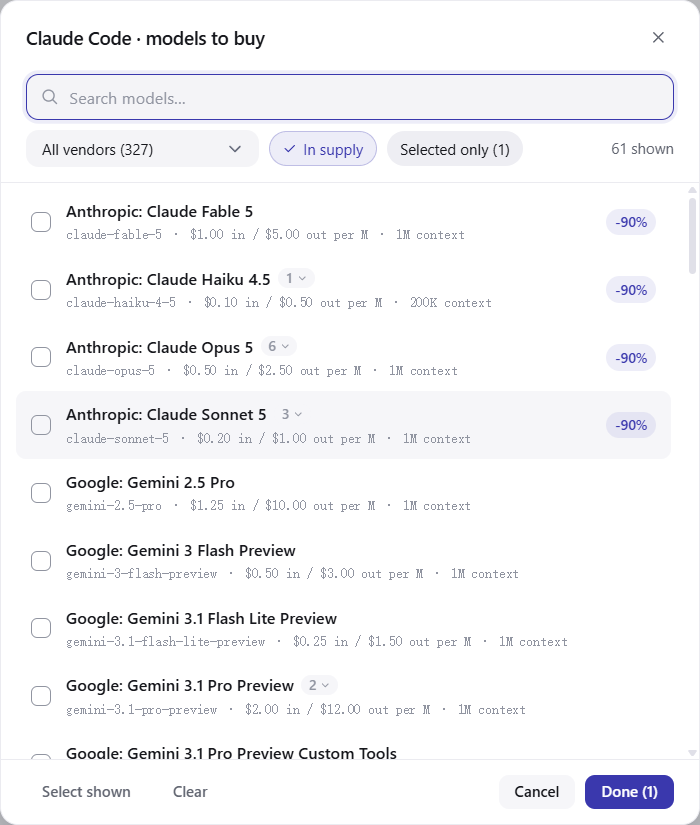
A request for a model you have not ticked is stopped on your own computer — it never goes out and costs nothing. This is your spending gate.
No supply means nobody on the market has capacity for that model right now; ticking it will not help.
Step 5: Restart Claude Code
Claude Code reads settings.json once, at startup. Without a restart the change does nothing.
Close every Claude Code terminal window, open a new one, and run claude again.
If the client still detects old processes, it says so explicitly ("still using the old config (N)"). Close them and click Check again.

Step 6: Confirm it really went through the market
Run claude in the new terminal and ask anything.
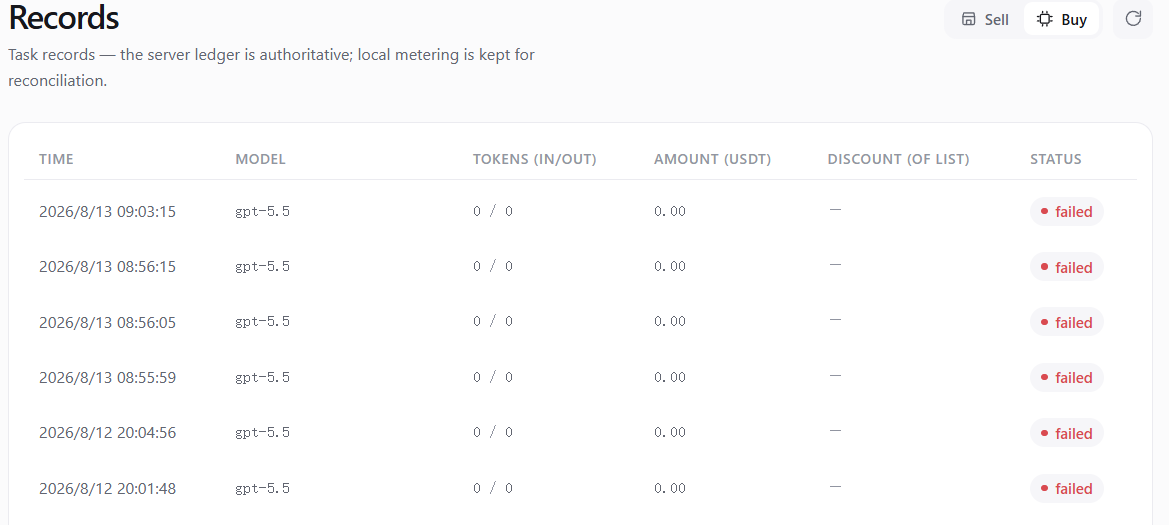
Asale → Records → Buy should then show that request: time, model, token counts (in / out), and how much USDT it cost.
What actually changed on disk
| File | Keys changed |
|---|---|
~/.claude/settings.json | env.ANTHROPIC_BASE_URL, env.ANTHROPIC_AUTH_TOKEN |
That one file, and nothing else. The original is backed up first and restored identically when you turn the switch off. On Windows ~ means C:\Users\your-username; the Buy page has an Open config button.
What one request costs
Before each question, an amount is held from your balance based on the most it could possibly cost — usually far more than it will. When the answer finishes it settles at real usage, and the excess returns immediately.
Nothing is charged at all when:
- the request errors,
- the reported usage is zero,
- you press
Ctrl+Cand disconnect part-way.
Turning it off again
Turn the Claude Code switch off on the Buy page — it says Claude Code has been restored to its original config — then restart your terminal. Requests go straight to Anthropic again.
Common questions
Why do I get "402 insufficient balance" when I have enough? The hold is based on the most it could cost, not what it will. With a small balance, a question you could easily afford may still be blocked. Deposit a bit more.
What does "503 no supply" mean? Nobody has idle capacity for that model right now. Switch models or wait — sellers' quotas roll over every 5 hours, and supply refreshes every minute.
The switch is on, but requests still seem to go to the official endpoint Almost always a missing restart. Close every Claude Code window and reopen; if that does not do it, see Troubleshooting.
It says "the config no longer points at Asale"? Something changed the config back after Asale wrote it, most often the tool updating itself. Asale re-applies it automatically and asks you to restart; if it says it cannot, sign in again and click Re-apply.
I have a Claude subscription of my own — can I buy and sell at the same time? Not with the same account. While this switch is on, the Claude account imported from this machine is taken out of the sale listing.
Can sellers see my code when I buy? Request content passes through the seller's machine on its way to Anthropic. Treat it as you would any third-party relay — do not send content you are unwilling to have a third party handle. See Security and Privacy.